Cropping multiple files can be a time-consuming task, but with the right tools, it can be done quickly and efficiently. Whether you're working with images for a project or just need to make adjustments to several files at once, using an online tool can save you both time and effort. Follow these simple steps to crop multiple files in no time.
How to Crop Multiple Files?
- Go to HafizApp Online Tools
- Click "Choose Files" and select your files.
- In "Select Action," choose "Crop."
- Hit the "Process" button.
- Click the "Download All" link to download all files in a zip archive.
- Enjoy your cropped files, and tell others if you like it!
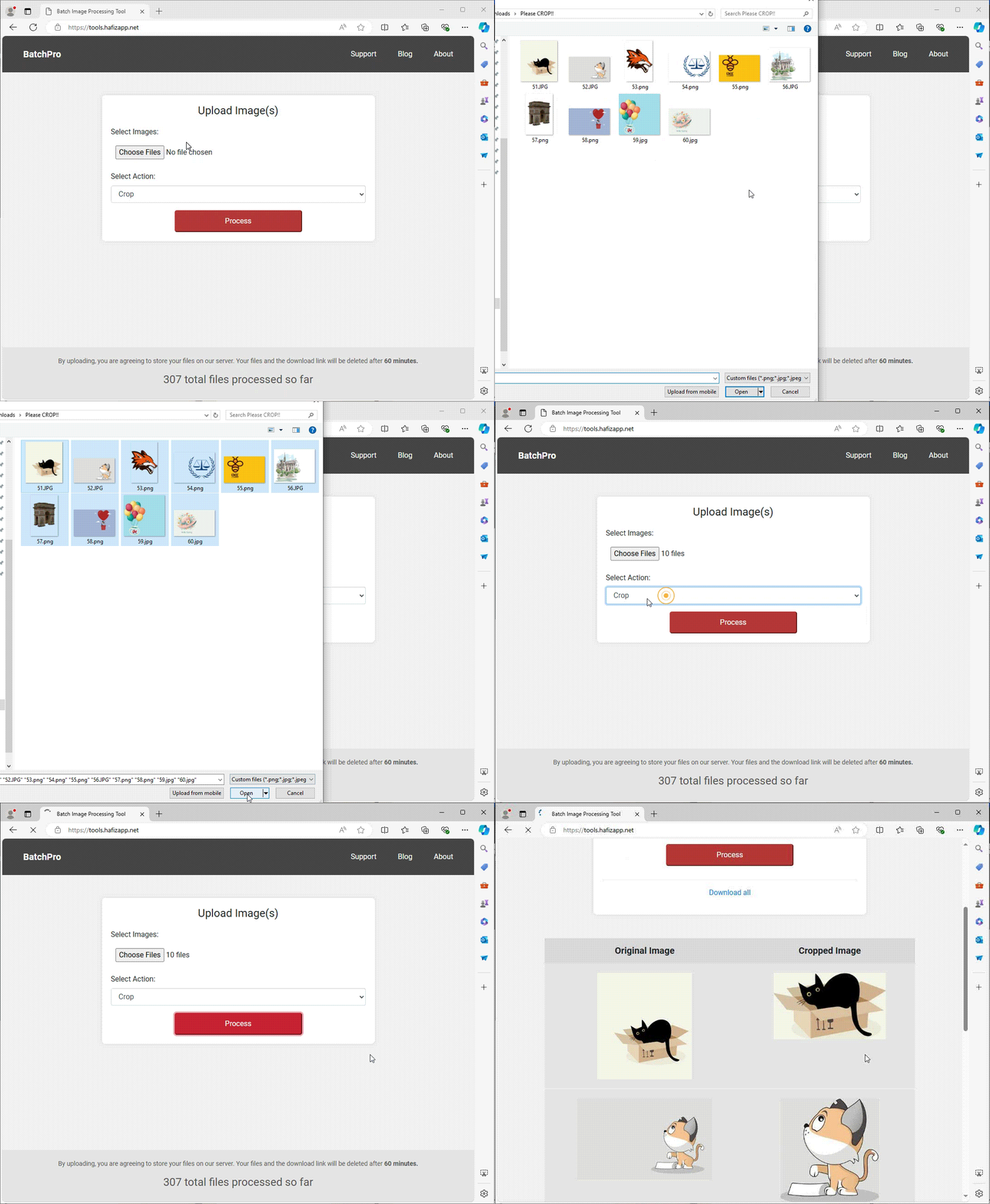
By following these steps, you can quickly and easily crop multiple files at once. Share this handy tool with your friends and colleagues!
Join the BatchPro Revolution Today
Embark on a journey towards time-saving solutions with BatchPro – and the best part? It's completely free to try, with no sign-up required. Take control of your image editing tasks and discover a world of convenience and productivity at your fingertips.